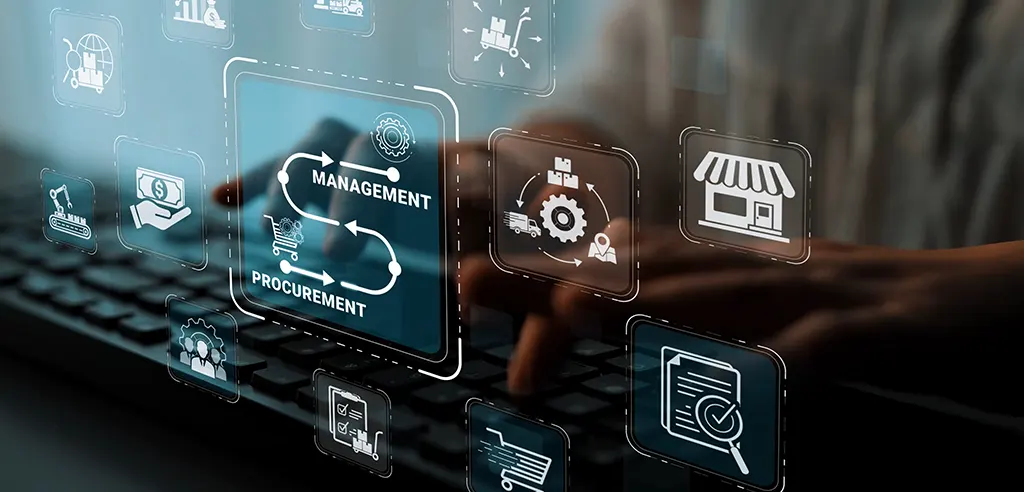
Procurement automation is not just a privilege for organizations that are operating the GOIS workflow but the operational backbone that powers sites, stores, and teams to keep items ordered without the hassle.
This article covers each step of the automated procurement process, explaining what happens, why it’s important, and how automation works for procurement teams.
Procurement Automation
Still processing POs manually?
There’s a smarter way.
See how the GOIS workflow cuts your procurement cycle time in half — starting this quarter.
What is Procurement Automation?
Procurement automation refers to a software solution that automates the purchasing process, including submitting requisitions, routing them for approval, creating purchase orders (POs), dispatching the vendor, confirming delivery, and triggering payments, while requiring minimal manual effort. An automated procurement system replaces email chains and paper processes, applies business rules, directs tasks to the appropriate users, and makes vendor communications in real-time.
Procurement automation makes for an organized and auditable supply chain versus a chaotic and reactive one for businesses with multiple locations or stores and a broad array of vendors, as well as specialist suppliers like Staples and Uline. McKinsey estimates that businesses cut up to 30% of procurement processing costs and double cycle time by automating procurement functions.
The GOIS Workflow: Step by Step
The GOIS procurement workflow is simple, passing through three actors: employee, procurement system, and vendor. The job of automation is to ensure that each of these three lanes makes every handoff quick, accurate, and rules-based.
Procurement Automation Workflow
Step 1 — Site / Store Requisition
It all begins with need. A site or store employee determines that goods are needed and makes a requisition via the procurement procedure. Do not send an open-ended email; it’s a request that includes the item, quantity, and preferred vendor.
Keeping all this information in a standard format from the outset makes it feasible to automate the downstream process. The system has no ambiguity to clear up at a later time. The next step will be filled with information from the requisition.
Step 2 — Approval Routing
After the submission of a requisition, the system automatically applies the rules of approval. The GOIS workflow has the ability to allow for a single level or multi-level approval process, depending on the following three dimensions: dollar amount, vendor, quantity.
It’s here where procurement automation pays for itself. Approval delays are the number one reason for an increase in procurement cycle time in manual environments. The Hackett Group research revealed that the fastest approval and processing times for POs are driven by automated approval routing, with top-performing procurement organizations able to approve and process POs at more than twice the speed of their peers.
Once a requisition is accepted, it is sent through to the next steps immediately. If it is disapproved, the employee is alerted immediately and can re-submit the document, corrected, without chasing after approvers or lost documents. A full audit trail is recorded in the system.
Step 3 — Automated PO Creation
Approval triggers PO creation without any manual re-entry. Purchase order is automatically generated with vendor information, line items, quantities, and pre-negotiated pricing from the contract catalog. At this point, human error in the form of wrong parts numbers, incorrect pricing, missing delivery addresses is eliminated.
It’s a big compliance success. Automated PO creation – every PO placed with contracted vendors at contracted prices, avoiding off-contract spend and loss of negotiated savings (known as “maverick buying”). While there are no definitive statistics, maverick buying can represent 20-40% of procurement budgets for organizations without effective controls.
Step 4 – PO Dispatch: Routing through the Best Channel
Once the PO is created, the system sends it out to the vendor via the best-suited communication method.
The GOIS workflow enables four ways to dispatch to the GOIS system:
- Email — Great for vendors who aren’t connected to digital ordering systems. It is automatically formatted and sent to the PO.
- EDI (Electronic Data Interchange): A systematic, machine-to-machine exchange for large suppliers with high volume, standardized orders.
- API — Programmatic real-time integration with vendors to which you expose ordering endpoints, so you can immediately acknowledge orders.
- cXML (Commerce Extensible Markup Language) — An industry standard that is widely employed in procurement networks and e-procurement websites, especially for catalog purchases.
The system automatically chooses its channel depending on the configuration of the vendor, so that the speed and accuracy of this channel is the maximum possible, without regard to whether or not the vendor is a technically sophisticated channel. This flexibility is essential for organizations with a varied vendor mix: not imposing one standard on all vendors.
Step 5 — Vendor Receives the PO
Purchase order is sent to the vendor (Staples, Uline, or other vendor) via his/her preferred method. The procurement system to supply chain is done at this stage. With EDI, API, or cXML integration, vendors can accept receipts automatically, establishing a digital receipts loop without needing any manual follow-up.
Step 6 — Order Fulfillment
The vendor will pick, pack and ship the goods to the site or store. For integrated vendors, shipping notifications and tracking data can feed back into the procurement system, providing the requester with on-the-spot visibility of where their order is in the process, compared to “submitted and waiting” manual procurement.
Step 7 — Receipt Confirmation and Payment Triggering
Upon receipt of goods, the system checks the PO, goods receipt, and vendor’s invoice are checked automatically. On servicing, if they match, payment will be made, without any manual effort from accounts payable.
The three-way match is one of the most valuable and crucial processes in the workflow. The Institute of Finance and Management (IOFM) estimates that automated invoice processing saves companies about $2.18 per invoice, which is more than 85% less than manual processing at $15.97 per invoice. Most importantly, automated matching can significantly reduce duplicate and overpayment, estimated at 0.1-0.5% of annual revenue due to undetected errors in the process.
Then the employee is informed that goods have been received, and order is complete — closing the loop from the original order.
Why GOIS Procurement Automation Matters
The benefits of the efficiencies become apparent when taken one step at a time. However, the benefits of automating the entire GOIS cycle are more than additive.
- Speed: End-to-end cycle times from days or weeks to hours. If a PO is called off after someone remembers to check their email, it may take many minutes to many hours. If it is called off after an approved requisition, it can be dispatched within minutes.
- Accuracy: Once data is entered in the requisition stage, it will be processed through the PO and receipt without being re-keyed. This eliminates transcription errors that create costly supplier disputes and reconciliation overhead.
- Compliance and control: All decisions are recorded: Who gave it, the dollar limit, which vendor was used, what channel was chosen. Auditing a procurement decision takes seconds, not an afternoon of email archaeology.
- Spend visibility: At each stage of automated workflows, structured data is produced. When procurement takes place via inbox threads and spreadsheets, procurement leaders can’t see real-time dashboards of spend by cost center, site, vendor and cost center.
- Vendor relationships: Clean and timely completion of POs that are consistently formatted are easier to deal with than suppliers who do not receive the same. They are faster to ship, they bill properly and they will be more willing to give you good terms. Process automation for procurement is a tool to enhance the quality of the buyer-supplier relationship on scale.
Getting Started
If you’re trying to get procurement automation started or advanced, start with the two most valuable areas: approval routing and PO creation automation. These measures are the least labor intensive and yield the quickest and most tangible results.
Then, adding more dispatch channels, especially for high-volume vendors (such as EDI or cXML) and incorporating three-way matching brings the automation full circle to end-to-end automation.
When completely automated, the GOIS workflow does not only speed up procurement – it optimizes it. It gives organizations control over their spending, reliability in their supply chains, and data to make better decisions – it is a strategic capability.
That’s what procurement automation is really for.

Jessica Cuthbert 
Jessica Cuthbert is a technology and operations writer specializing in inventory systems and ERP, focusing on solutions like Goods Order Inventory (GOIS) to help businesses streamline processes and adopt data-driven inventory management.