The Key Things to Check Before You Decide
Choosing the right warehouse management software (WMS) is a big step for any business. If you pick the wrong one, it can lead to delays, errors, and lost money. But with the right system, you can speed up your work, track your stock better, and keep customers happy.
Here’s a checklist to help you make the right decision.
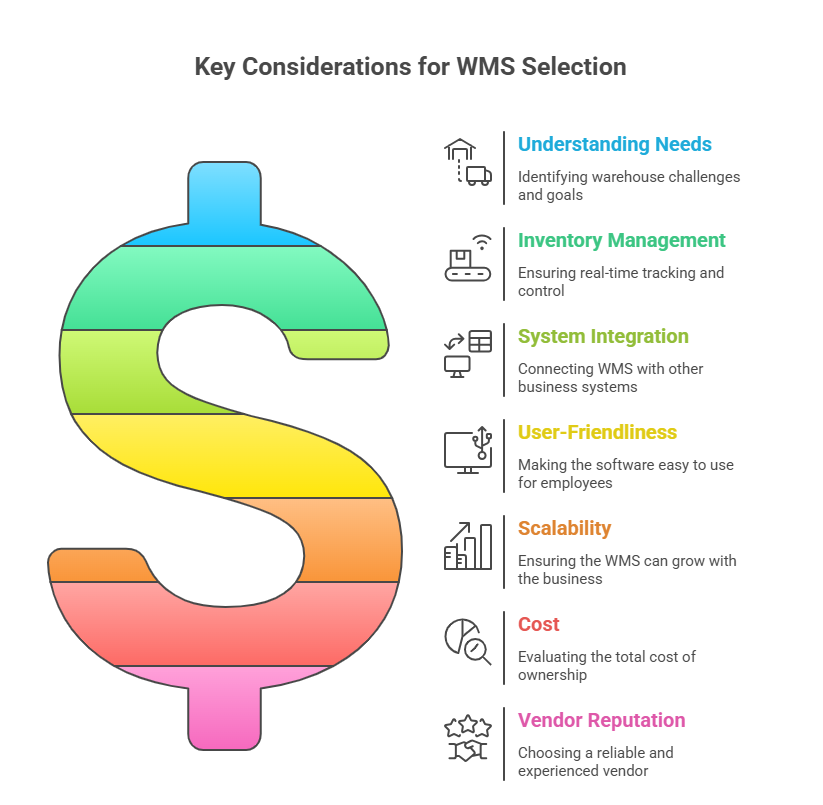
1. Understand Your Needs
Before you even start looking at different warehouse management software (WMS) options, you need to understand what your warehouse actually needs. Think of it like this: you wouldn’t buy a new pair of shoes without knowing your shoe size, right?
- What problems are you trying to solve? Are you losing track of inventory? Are orders getting shipped to the wrong place? Are your workers spending too much time searching for items? Write down all the things that are making your warehouse inefficient.
- What are your current processes? How do you receive goods? How do you store them? How do you pick and pack orders? Map out your current workflow.
- What are your future goals? Do you plan to expand your business? Do you want to offer new services like same-day delivery? Your WMS should be able to grow with you.
Why is this important?
According to McKinsey, ~70% of all digital transformation projects—which includes enterprise software like WMS—fail to achieve their goals, often due to lack of clear strategy, poor planning, or inadequate user adoption.
2. Inventory Management Capabilities
The core of any good warehouse management software (WMS) is its ability to manage inventory. This is also sometimes referred to as warehouse inventory management software or warehouse inventory software.
- Real-time tracking: Can the software track your inventory in real-time? This means you should always know exactly how many of each item you have, and where it is located in your warehouse.
- Inventory control: Does the software help you control your inventory levels? Can it automatically reorder items when they get low? Can it help you avoid overstocking?
- Reporting: Can the software generate reports on your inventory levels, sales, and other important metrics? This will help you make better decisions about your business.
Why is this important?
A report by Aberdeen Group found that companies using real-time inventory tracking can reduce inventory holding costs by up to 20%. (Source: Loyalty)
3. Integration with Other Systems
Your warehouse management software (WMS) shouldn’t be an island. It needs to talk to your other systems, like your accounting software, your e-commerce platform, and your shipping carriers.
- Check for compatibility: Make sure the WMS you choose is compatible with the systems you already use.
- Seamless data flow: The WMS should be able to automatically exchange data with your other systems, so you don’t have to manually enter information in multiple places.
- API access: Does the WMS offer an API (Application Programming Interface)? This allows you to connect it to other systems that it might not directly integrate with.
Why is this important?
Integrating your WMS with other systems can significantly reduce errors and improve efficiency. A study by Aberdeen Group found that companies with integrated systems experience 23% less data entry errors. (Source: MoldStud)
4. User-Friendliness
The best warehouse management software (WMS) in the world won’t do you any good if your employees can’t use it.
- Intuitive interface: The software should be easy to learn and use, even for people who aren’t tech experts.
- Mobile access: Can your employees access the WMS on their smartphones or tablets? This can be very helpful for tasks like picking and packing orders.
- Training and support: Does the vendor offer training and support to help you get started with the software?
Why is this important?
A user-friendly WMS can improve employee productivity and reduce training costs. Results show that companies with highly engaged employees saw a 21% increase in profitability, a 17% boost in productivity, and a 59% reduction in voluntary turnover. (Source: ResearchGate)
5. Scalability
Your business is likely to grow over time, so you need warehouse management software (WMS) that can grow with you.
- Can it handle more users? As you hire more employees, you’ll need to add more users to the system.
- Can it handle more inventory? As your business grows, you’ll likely need to manage more inventory.
- Can it handle more locations? If you plan to open additional warehouses, you’ll need a WMS that can manage multiple locations.
Why is this important?
Choosing a scalable WMS can save you money in the long run by avoiding the need to switch to a new system as your business grows.
6. Cost
Of course, you need to consider the cost of the warehouse management software (WMS).
- Upfront costs: How much does it cost to purchase the software?
- Ongoing costs: Are there monthly or annual subscription fees?
- Implementation costs: How much will it cost to implement the software? This includes things like training, data migration, and customization.
- Hidden costs: Are there any other costs that you should be aware of, such as hardware upgrades or additional support fees?
Why is this important?
It’s important to understand the total cost of ownership of a WMS before you make a purchase.
7. Vendor Reputation
Finally, you need to choose a reputable vendor.
- Research the vendor: Read online reviews and talk to other companies that have used the vendor’s software.
- Check their experience: How long has the vendor been in business? Do they have experience working with companies in your industry?
- Ask for references: Ask the vendor for references from other customers.
Why is this important?
Choosing a reputable vendor can help you avoid problems with implementation, support, and long-term maintenance.
Final Thoughts
Picking the right warehouse management software is not just about features—it’s about finding the right fit for your team, your stock, and your future growth.
Take your time. Use this checklist. And always test the software before buying.
The right choice today can save you time, money, and stress tomorrow. – Schedule a Demo
Frequently Asked Questions (FAQs)
What is warehouse management software (WMS)?
A warehouse management software (WMS) is a system that helps businesses track inventory, manage stock locations, streamline warehouse processes (like picking and packing), and reduce errors. It gives real-time updates so you always know what’s in stock and where it is.
Can a WMS work with my existing systems?
Yes. Most modern WMS solutions can integrate with accounting tools (like QuickBooks), e-commerce platforms, and shipping providers. Always check if the software supports API or built-in connectors for seamless data flow.
Why is real-time inventory tracking important?
Real-time tracking lets you know exactly how much stock you have and where it is—reducing errors, preventing stockouts, and improving customer satisfaction.
How much does warehouse management software cost?
Pricing varies widely. Some WMS tools have a high upfront cost, while others like GOIS offer flexible, cloud-based pricing plans with monthly or annual subscriptions. Always check for hidden costs like training, hardware, or support.
Is GOIS suitable for multi-warehouse businesses?
Absolutely. GOIS supports multi-location inventory management, allowing you to monitor and control stock levels across different warehouses or stores in real-time—all from one dashboard.

Naushad Ahmed 
Naushad Ahmed is a technology expert at Goods Order Inventory (GOIS) specializing in inventory management, order fulfillment, and warehouse operations for small and mid-sized businesses. He shares practical insights on inventory control, stock accuracy, automation, and multi-location management to help businesses move beyond spreadsheets, reduce stockouts and overstock, and scale their operations efficiently.