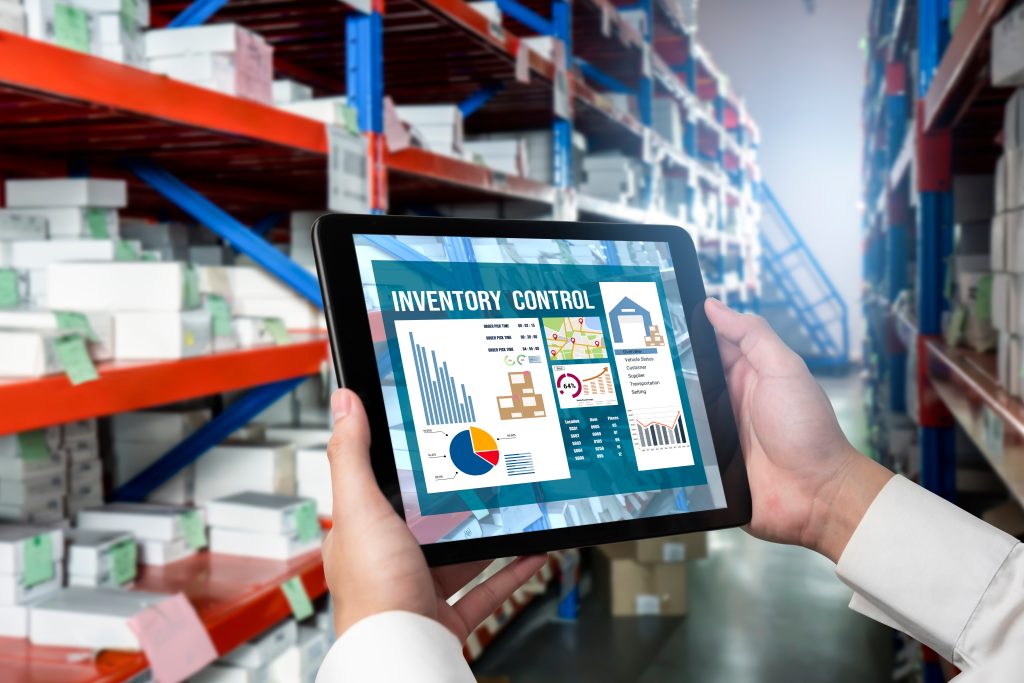
Easily Manage Purchase Orders with Inventory Control Tools that Sync with QuickBooks
Over 60 percent of QuickBooks users complain that they find it hard to handle purchase orders (POs) in the system.
Manual PO processing results in stockouts, delays, and costly mistakes. However, when inventory control software works with QuickBooks, that changes everything.
This article walks you through the process of automating purchase orders, why it is important, and how to configure it with inventory software that is compatible with QuickBooks.
What is a Purchase Order and Why Automate It?
A purchase order (PO) is a document between a supplier and a buyer that serves to acknowledge a purchase. It includes:
- Name and number of items
- Agreed price
- Delivery date
- Payment terms
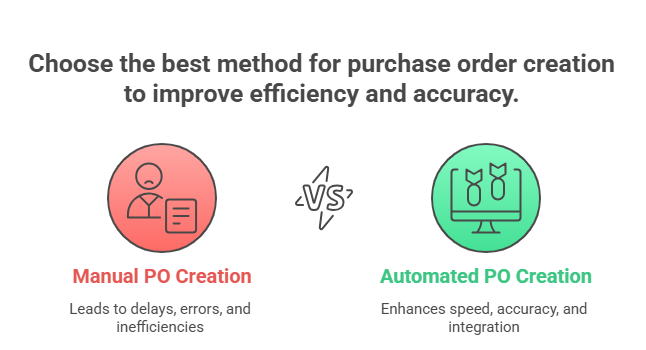
Even the majority of small businesses continue to make them manually (on spreadsheets or even as handwritten documents). This leads to delays, confusion, and data entry mistakes.
Automation is good for you:
- Reduce PO generation time down to less than 2
- Prevent repeating or lost orders.
- Automatic tracking of track approvals and recipients
- Automatically synchronise vendor information and inventory with QuickBooks.
The Value of Effective Purchase Orders
Consider that you are running a store. You must ensure that you have sufficient products to sell, but not so many that you are left with some items lying about gathering dust. This is a crucial aspect of the success of your business.
Did you know? Each year, businesses lose profits due to the lack of stock (lost sales) or excess stock (cash tied up).
This is a fact: Companies that apply an automated purchase order system experience a major decrease in out-of-stock and overstocked systems.
Purchase orders (POs) will be the way to tell your suppliers about what you want to purchase. When correctly done, they assist you to:
- Maintain the optimal level of inventory, and you will be able to address the needs of the customers without spending more than you should.
- Get the lowest prices: You can be more cost-effective by keeping an eye on your purchases and with whom you are making them.
- Be prepared: Be aware of what you have ordered, when it is going to arrive, and the cost.
The Pain Points: Why Manual Purchase Orders are a Headache
Purchase orders may be a pain without the proper tools to manage them. The following are some of the common problems:

- Time Wasting: POs have to be generated by hand, sent to suppliers, and then tracked, which is time-consuming. You are wasting time on documentation rather than developing your business.
- Humans are prone to errors. Entering data manually exposes one to the risk of errors in quantities, price, or even delivery dates. Such mistakes may result in inaccurate orders, delays, and dissatisfied clients.
- Invisibility: You have no idea what you ordered, when it will come, or how much it is going to cost. This is not visible, and this causes difficulty in planning and controlling your cash flow.
- Hard to Follow: It is a nightmare to follow paper POs or spreadsheets. It is easy to lose track of orders, miss deadlines, and find yourself facing stockouts or overstocking.
- Hard to Trace: It is a nightmare to trace paper PO or spreadsheets. It is easy to lose control of orders, skip deadlines, and face stockouts or overstocking.
- Inefficient Communication: It may be time-consuming to communicate with the suppliers, whether through email or phone. Messages may easily get lost or misinterpreted, thus resulting in delays and errors.
- Integration Problems: In case your purchase order system does not integrate with your accounting program (such as QuickBooks), you need to have multiple entries of data. This is tedious, and it increases the chances of making mistakes higher.
Such issues may result in:
- Lost Sales: When you are out of stock, you cannot sell to those customers who might want to buy.
- Money Down the Drain: Overstocking uses up your money and can cause you to lose it if you need to discount some of the products.
- Dissatisfied Consumers: Customers may get upset by delays and mistakes that will hurt your reputation.
- Higher expenses: Wasting time on manual work and correcting errors is something that costs you money.
The Solution: Inventory Control Software for QuickBooks
The good news is that there’s a solution: inventory control software that works seamlessly with QuickBooks. This is a software that automates the process of purchase orders and helps you manage your stock more effectively.
It goes like this:

- Automated Purchase Order Creation: The software can automatically generate POs depending on your stocks as well as your sales projections. The software can automatically create POs to reorder a particular item when your inventory of the item runs low to a particular point.
- Centralized System: All your purchase orders will be stored in a single location; thus, you can track them easily. You are able to monitor the status of every order, when it is supposed to be delivered, and at what price.
- Connection to QuickBooks: The program is automatically connected to QuickBooks, and therefore, you do not need to input data manually in various locations. This will save you time and minimize the possibility of errors.
- Better Communication: The software gives you an opportunity to communicate directly with suppliers via the system. It allows you to send POs, keep updates, and monitor communication within the same location.
- Improved Visibility: You know what you have ordered, when it is arriving, and the cost of the same. This allows you to have greater visibility of your supply chain and enables you to plan your cash flow.
- Reporting and Analytics: The software delivers reports and analytics that allow you to monitor your stock level, find trends, and make improved decisions.
Automating your purchase orders with inventory control software for QuickBooks is a smart move for any business that wants to improve its efficiency, reduce costs, and keep its customers happy. This software can enable you to manage your inventory and expand your business by automating manual work, enhancing visibility, and connecting with QuickBooks. It is as if one had an extremely efficient assistant who could never forget to stock up on supplies!
If you’re still sending POs manually, it’s time to stop.
Start automating, and let your system do the heavy lifting – Schedule a Demo
Frequently Asked Questions (FAQ’s)
1. Why should I automate purchase orders if I already use QuickBooks?
QuickBooks does account quite well; however, it is limited in its purchase order functionality. Automating POs with inventory control software helps prevent stockouts, reduces manual errors, and speeds up ordering by syncing inventory data in real time.
2. Does QuickBooks allow you to create purchase orders automatically?
Not by itself. QuickBooks will not automatically generate a PO when the inventory quantity is low, but you can generate a PO manually. To automate this, QuickBooks inventory software is what you require.
3. How does inventory control software work with QuickBooks?
Inventory software is synchronized with QuickBooks, including item lists, vendor information, and PO information. Once the stock reaches a minimum, it automatically creates a PO, forwards it to approval, passes it to the vendor, and updates your inventory and financial records on QuickBooks.
4. Does GOIS work with QuickBooks Online and Desktop?
Yes, GOIS (Goods Order Inventory System) has easy connectivity with QuickBooks Online and Desktop. It enables syncing vendors, items, and POs to process orders faster and more accurately.
5. Why should GOIS be a good choice to automate purchase orders?
GOIS is designed with small to mid-sized companies in mind and has real-time inventory management, reorder point automation, and a single click PO generation. It decreases the amount of time spent processing PO and keeps everything in line with your QuickBooks account.

Naushad Ahmed 
Naushad Ahmed is a technology expert at Goods Order Inventory (GOIS) specializing in inventory management, order fulfillment, and warehouse operations for small and mid-sized businesses. He shares practical insights on inventory control, stock accuracy, automation, and multi-location management to help businesses move beyond spreadsheets, reduce stockouts and overstock, and scale their operations efficiently.