Introduction
An inventory tracking system is like a helper that keeps track of all the items a business owns. It tells the business how many products are left, where they are kept, and when they need to order more. This system helps businesses avoid running out of popular items or having too many things that do not sell. It also saves time and reduces mistakes.
In this blog, we will explain what an inventory tracking system is, why it is useful, and how to set one up easily to help a business run better and keep customers happy.
What Is an Inventory Tracking System?
An inventory tracking system is a tool or method that helps businesses keep track of all the products or goods they have. From when a product arrives in a warehouse or store until it is sold, the system records where those items are, how many are left, and when new stock is needed. This makes sure the business knows exactly what they have at any time. Instead of guessing or using old paper lists, the inventory tracking system uses barcodes, scanners, or computers to update stock numbers instantly.
For example, imagine a toy store that gets a new shipment of 100 dolls. With an inventory tracking system, each doll is logged, and when customers buy one, the system updates the stock count right away. So, the store never runs out unexpectedly and knows when to order more.
Recent Stats and Tech Trends in Inventory Tracking
- According to recent studies, businesses that use real-time inventory tracking reduce stockouts by 20% and shrink excess inventory by 15%.
- AI and machine learning are being added to inventory systems to forecast demand better and optimize stock levels. (Source: IBM)
- A global logistics company reported a 30% reduction in inventory costs after switching to an AI-powered tracking system.
- More businesses now use multi-location tracking tools to manage stock across warehouses and stores, improving coordination and cutting costs.

Expert Quotes on Inventory Tracking Systems
- “A strong inventory tracking system keeps your shelves full and your customers smiling.” — Alex White, Retail Expert.
- “Inventory is the lifeblood of any business. Staying on top of it with modern tracking tools is not optional anymore; it’s a must.” — Sarah Lee, Supply Chain Consultant.
- “Automated inventory tracking cuts errors and frees managers to focus on growing the business instead of chasing missing products.” — John Martins, Warehouse Operations Head.
Why Do Businesses Use Inventory Tracking Systems?
Businesses use inventory tracking systems for many reasons:
- To avoid running out of products: About 74% of businesses say running out of important items has hurt their sales before. With a good system, they are warned ahead of time when stock is low, so they can reorder in time.
- To save money: Overstocking products that do not sell wastes money. An inventory system helps keep only what is needed.
- To reduce errors from manual counting: Counting stock by hand takes time and often leads to mistakes.
- To speed up shipping and deliveries: When products are tracked well, orders can be packed and sent faster.
- To keep customers happy: Having products available when customers want them builds trust and loyalty.
| Story: How Small Toy Shop Grew with Inventory Tracking |
|---|
| There once was a small online toy shop struggling to keep up with orders. They often sold toys that were not in stock, upsetting customers and losing money. After installing a simple inventory tracking system that updated sales and arrivals in real time, the shop could see exactly what was available at all times. They never oversold or ran out unexpectedly again. This change helped the shop grow 50% in sales over six months as customers trusted the shop more and the shipping became faster. The owner said, “Using an inventory tracking system was one of the best decisions we made. It changed our whole business.” |
Benefits of an Inventory Tracking System
The benefits of using an inventory tracking system go beyond just keeping numbers. Here are some clear advantages:
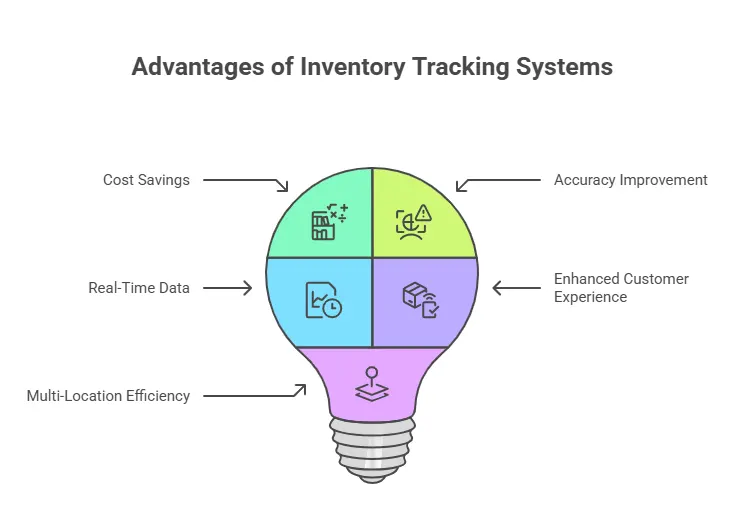
1. Saves Money by Reducing Overstock and Stockouts
Using a system, companies can find the perfect balance — enough stock to sell but not so much that it sits unused. Studies show that using an inventory tracking system can reduce holding costs by up to 25%. This means less money is wasted on storage and unsold goods.
2. Improves Accuracy and Reduces Mistakes
Manual stock checks have many errors. Using barcodes or RFID tags means each item is registered precisely. Mistakes drop significantly, helping businesses avoid costly problems.
3. Real-Time Data for Smarter Decisions
Modern systems give live updates. This means managers can see what’s selling fast or slow and adjust orders. This quick insight helps meet customer demand and keeps the shop running smoothly.
4. Enhances Customer Experience
One store owner said, “Before we used an inventory tracking system, we lost hundreds of dollars monthly from missing items and unhappy customers. Now, every item is tracked from delivery to sale, and our customers are happier than ever.”
5. Increases Efficiency Across Multiple Locations
For businesses with several warehouses or stores, an inventory tracking system ties everything together in one place. It shows stock levels across all locations, improving supply chain speed and reducing mistakes in shipment or reorder planning.
How Does an Inventory Tracking System Work?
A basic inventory tracking system works in these steps:

- Product Entry: When new stock arrives, its details like name, quantity, size, and barcode are entered in the system.
- Tracking Movement: Whenever a product moves – whether sold, returned, or transferred – the system updates its status immediately.
- Alerts: The system sends alerts if stock falls below a set number so the business can reorder soon.
- Reports: Regular reports help see which products sell best and which ones stay longer on shelves.
- Automation: Some advanced systems can automatically place orders to suppliers when stock runs low.
Technology used can be simple spreadsheets or software that connects to barcode scanners, RFID tags, or even sensors in smart warehouses.
How to Set Up an Inventory Tracking System: Step-by-Step Guide
Setting up an inventory tracking system might sound tough but following these simple steps can make it easy:
Step 1: Choose the Right System for Your Business
Decide if you want a manual system like spreadsheets or software designed for inventory. For small businesses, simple software or apps are a good start. Larger companies can choose more advanced, AI-driven systems that predict demand and improve stock management.
Step 2: Organize Your Products
Make a list of all items, categorizing them by type, size, or any important trait. Assign barcodes or labels so each product can be scanned and tracked easily.
Step 3: Enter Initial Stock Data
Log in all items currently in stock into the system. This sets a starting point so the system knows your inventory levels.
Step 4: Train Your Team
Make sure everyone involved in stock handling knows how to use the system, scan items, and update records. Proper training reduces errors and speeds up processes.
Step 5: Track Every Change
Whenever stock arrives or is sold, update the system. This keeps data accurate in real time.
Step 6: Review Reports Regularly
Look at system reports weekly or monthly to understand trends. See what sells well, what stays long, and plan for seasonal changes.
Conclusion: Why Start Using an Inventory Tracking System Now?
An inventory tracking system helps businesses stay organized, save money, reduce mistakes, and keep customers happy. Whether small or large, every business benefits from knowing exactly what they have, what they need, and how fast things sell.
If the thought of managing inventory feels stressful or time-consuming, the answer is to get started with a tool like GOIS (Goods Order Inventory System). GOIS is simple to set up, easy to use, and powerful enough to help businesses grow smarter and faster.
Get started with GOIS today and see your business run more smoothly, meet customer needs better, and save money every step of the way.
Frequently Asked Questions
1. How do I choose the right inventory tracking system for my business?
Choosing the right system depends on your business size, products, and budget. Small businesses might start with simple software or spreadsheets, while larger companies may need specialized software with automated features. Look for ease of use, integration with sales channels, and good customer support.
2. What are the common methods used in inventory tracking?
Common methods include barcode scanning, RFID tags, and manual entry. Barcodes are widely used for quick and accurate scanning. RFID offers real-time tracking without line-of-sight scanning but can be more expensive. Manual entry suits very small inventories but has higher error rates.
3. How long does it take to set up an inventory tracking system?
Setup time varies by the system’s complexity and inventory size. Simple setups may take a few days, including training staff, while larger systems can take weeks or months for full implementation, testing, and integration with other software.
4. Can inventory tracking systems work with online and physical stores?
Yes, many modern inventory tracking systems can integrate multiple sales channels, syncing stock levels between online stores and physical shops to avoid overselling or stockouts.
5. How often should I do physical inventory counts if I use a tracking system?
Even with automated systems, regular physical counts or audits are recommended at least quarterly or annually to verify system accuracy and detect any losses or discrepancies.

Naushad Ahmed 
Naushad Ahmed is a technology expert at Goods Order Inventory (GOIS) specializing in inventory management, order fulfillment, and warehouse operations for small and mid-sized businesses. He shares practical insights on inventory control, stock accuracy, automation, and multi-location management to help businesses move beyond spreadsheets, reduce stockouts and overstock, and scale their operations efficiently.